


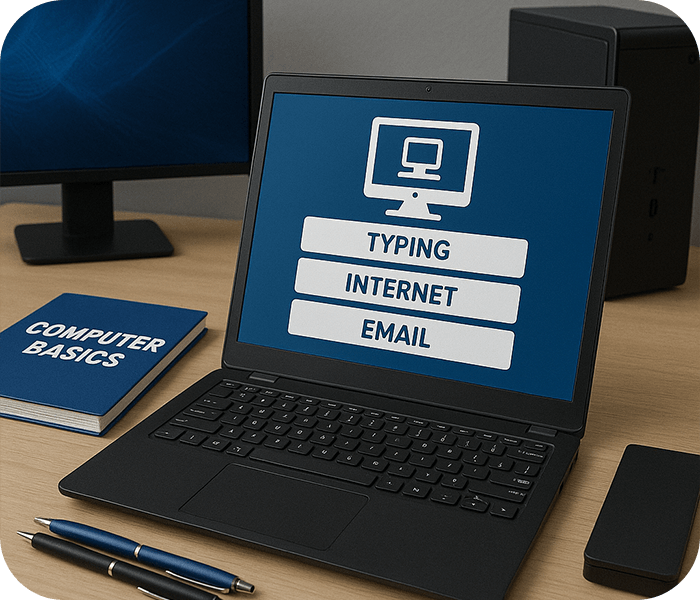

Real-World Projects & Industry Work
- Rich Learning Content
- Industry-Oriented Projects
- Taught by an Experienced professor.

1.5 Months
Power Skill Training
About CCC Classes Syllabus
Computers now play a significant role in both our personal and professional lives. In view of this, the Indian government was requested by the National Taskforce on IT and Software Development to launch a program aimed at improving the nation’s computer literacy. Thus, the CCC training syllabus was presented. The course on Computer Concepts is referred to as CCC. You can join our Bootstrap Course in Gandhinagar at Red & white Skill Education.
Eligibility
- 10th / 12th Pass students or school learners
- Beginners with no prior computer knowledge
- Job seekers needing basic computer certification
- Anyone who wants to improve digital skills
- Willingness to learn computers (no experience needed)
Why do this course

Industry-Oriented Computer Applications Projects
Work on real-world projects covering MS Office, Internet applications, and basic IT tools to strengthen your practical computer knowledge.

Expert Mentors with Years IT Training Experience
Learn from experienced professionals who have guided thousands of students in computer fundamentals and digital literacy.

Practical-Based Training Approach
Master essential computer applications, office automation tools, and internet usage through hands-on learning designed for beginners and professionals.

Recognized Certification for Career Growth
Earn a government-recognized CCC certification to enhance your employability in offices, companies, and digital workplaces.
CCC
- CCC
- Computer and digital device introduction
- Computer hardware and software fundamentals
- Windows and Linux operating systems basics
- File management and data handling
- AI-based typing tools and skills development
- Microsoft Word & Google Docs – Document Creation & Formatting
- Microsoft Excel & Google Sheets – Data Entry, Formulas & Charts
- Microsoft PowerPoint & Google Slides – Professional Presentations
- Gmail, Outlook – Email writing and Email Etiquette
- Cloud Storage & File Sharing – Google Drive, OneDrive
- Web Browsing & Online Research Skills
- Safe Internet Practices & Cybersecurity Awareness
- Online Transactions & Digital Payments (UPI, Net Banking, PayPal)
- AI-Based Productivity Tools – ChatGPT, Grammarly, AI-based make-ups
- Writing a resume and optimising a LinkedIn profile
- Entering data & Online Freelancing Opportunities
- Digital Communication & Customer Interaction Tools
- Mock Assessments & Certification Preparation
Technical Tools & Software to Learn

Windows OS

MS Word
MS Excel
MS PowerPoint

Gmail

Google Drive
Job Scope After Course Completion
- Office Assistant
- Data Entry Operator
- Customer Support Executive
- Freelancer (Online Jobs)
- Computer Lab Assistant
Who will you learn from
- Syllabus Mentor
- SMEs

Mr. Ankit Dubey


Ms. Anwesha Kar


Mr. Alok Kumar

Mr. Piyush Jinjala

Mr. Venu Madhav

Mr. Sneh Mehta

Mr. Jemish Lakhani

Mr. Akash Chaurasia

Mr. Shivam Padmani
Mr. Mohit Rajput

RWn. Mohit Savliya

RWn. Piyush Nakrani

RWn. Milan Kathiriya

RWn. Chakshu Adani
Hear from our Students
Jay Donda
UI/UX & Graphic Design
Nishita Manjaravala
Full Stack Development
Nayan Gayke
ITA-CS+
FAQ
The CCC Course teaches students the fundamentals of computer operations and digital skills. Students learn computer basics, operating systems, Microsoft Office applications, internet usage, email communication, digital payments, online services, typing, file management, and essential computer concepts used in daily life and office work.
The CCC Course helps students improve their computer knowledge and digital literacy skills. It is useful for government job preparation, office work, online communication, and daily computer usage. The course also builds confidence in using computers, the internet, and office software applications professionally.
Anyone interested in learning basic computer skills can join the CCC Course. The course is suitable for students, beginners, job seekers, office workers, homemakers, senior citizens, and individuals preparing for government or private sector jobs.
Yes, the CCC Course is highly useful for many government job applications and competitive exams where basic computer knowledge is required. It helps candidates improve their digital skills and computer proficiency for office and administrative work.
The CCC Course covers computer fundamentals, Windows operating systems, Microsoft Word, Excel, PowerPoint, internet usage, email communication, online banking, digital payments, file management, and basic cybersecurity awareness.
Yes, the CCC Course is designed specifically for beginners who want to learn computer basics from scratch. The training includes practical exercises and easy-to-understand lessons that help students become comfortable using computers and digital tools.
Book your Free Consultation with our Trustworthy Counsellors
Latest Placements
Loading latest placements...

Centres In India
A5, Ground Floor, Saurashtra Soc., Div-2, Near BRTS Stop, Dharamnagar Road, Gaushala, A.K. Road, Surat-395008, Gujarat (INDIA). Ph : +91 79847 11520
3rd Floor, Hall 1, Roongta Signature, VIP Road, opp. Shyam Temple, Anand Park, Althan, Surat, Gujarat 395007 Ph : +91 94848 88444
4th Floor, Uma Plaza, Opp. Prayosha Star, Kharwasa Road Dindoli, Surat-394210, Gujrat (INDIA). Ph : +91 94848 42426
2nd Floor, Shop : M1, V3 Corner, Honey Park Road, Opp. 9 Square, Opposite Sai Square Complex, Adajan Gam, Adajan, Surat, Gujarat 395009. Ph : +91 9277 718777
2nd Floor Bhavya Complex, Laxminarayan Soc., Nr. Sunrise Dhosa, Dabholi Char Rasta, Ved Road, Katargam, Surat-395004, Gujarat (INDIA). Ph : +91 63554 43286
B305 – B311, 3rd floor, IT Park, Above Croma, Digital Valley (Mota Varachha – Uttran) Surat - 394101, Gujarat (INDIA). Ph : +91 63522 95143
Red & White Skill Education, Opp. Shell Petrol Pump, Near Vanmali Junction, Puna Canal Road, Surat, Gujarat, India - 395010 Ph : +91 63510 87408
Explore Related Courses

Full-Stack Development In Gandhinagar
Master the skill of programming browsers, servers and databases with our experts while working on live projects.

UI/UX & Graphic Design In Gandhinagar
The Master in UI/UX & Graphic Design course is designed to help students master visual communication, branding, user experience (UX) design, and creative problem-solving.

AI/ML & Data Science In Gandhinagar
Master AI, Machine Learning, and Data Science with real-world projects.