


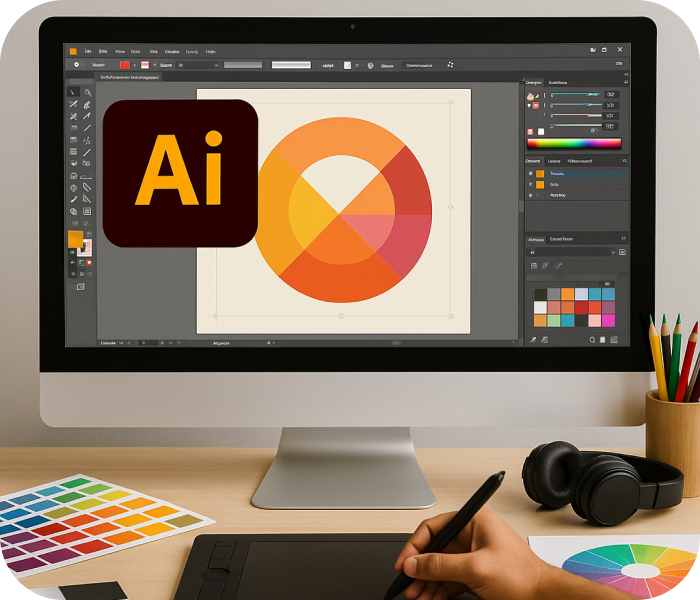

Real-World Projects & Industry Work
- Rich Learning Content
- Industry-Oriented Projects
- Taught by Experienced Prof.

1.5 Months
Power Skill Training
About Adobe Illustrator Course
Adobe Illustrator allows users to create logos, drawings and brochures on Windows or macOS. Illustrator is used by many web and graphic designers. The RednWhite Institute provides the Illustrator Course for students who want to learn all the latest software and tools to create eye-catching designs. This course covers the gap between academic standards and industry needs. Feel free to contact us for our latest Adobe Photoshop Course in Bharuch.
Adobe Illustrator is used for editing photography. The term “polygons” refers to three-layered pictures that can be modified into vector drawings for PC design. Adobe Illustrator courses are helpful for designing and creating the picture so that it appeals to your intended audience. Illustrators, graphic designers, and designers all over the world create high quality art. Illustrator offers a number of features that can be used to speed up the illustration process, such as sophisticated drawing tools.
Adobe Illustrator is used for a variety of tasks, including creating digital artwork, branding and promotional content, icons, web images, etc. It’s used by graphic designers for branding, marketing and advertising. Digital artists also use it to create pieces for public and private collections. Adobe Illustrator is preferred by graphic artists because it allows them to create vector-based images rather than raster pictures. Enroll today for graphic design courses in Rajkot as we also have our new batch ready.
Eligibility
- Perfect for 12th pass/college students/beginners in IT
- Learn from expert mentors with industry experience
- Focus on practical + theoretical learning
- Build your first coding projects with guidance
- Get a recognised certification to boost your career
Why do this course

Industry-Oriented Projects
Learn industry-standard vector graphic design skills.

Expert Mentors with Years of IT Experience
Create logos, icons, and scalable illustrations for print & digital media.

Practical-Based Training Approach
Build a strong design foundation for branding, UI/UX, and creative projects.

Recognized Certification & Career Growth
Gain practical knowledge with real-world projects guided by expert mentors.
Course Curriculum Of Illustrator
- Illustrator Graphics
- Creating Vector Graphics
- Logo, Visiting Card, Brochure Design
- Work On Mobile App. Design
- Create a Gaming App. Icon & Back Gaming
- Gaming App. & Graphics Design
Technical Tools & Software to Learn
Illustrator
Job Scope After Course Completion
- Graphic Designer
- Logo Designer
- Illustrator Artist
- UI/UX Designer (Visual Assets)
- Print & Packaging Designer
- Branding & Identity Designer
- Digital Illustrator
- Freelance Illustrator & Designer
Who will you learn from
- Syllabus Mentor
- SMEs

Mr. Ankit Dubey


Ms. Anwesha Kar


Mr. Alok Kumar

Mr. Piyush Jinjala

Mr. Venu Madhav

Mr. Sneh Mehta

Mr. Jemish Lakhani

Mr. Akash Chaurasia

Mr. Shivam Padmani
Mr. Mohit Rajput

RWn. Mohit Savliya

RWn. Piyush Nakrani

RWn. Milan Kathiriya

RWn. Chakshu Adani
Hear from our Students
Jay Donda
UI/UX & Graphic Design
Nishita Manjaravala
Full Stack Development
Nayan Gayke
ITA-CS+
We are also available
FAQ
During the course, you’ll learn how to create vector graphics, logos, icons, illustrations, typography, brochures, business cards, social media creatives, packaging designs, and brand identity assets using Adobe Illustrator. You’ll also understand industry-standard design workflows and file preparation for print and digital media.
Yes. This course is designed for beginners as well as aspiring graphic designers. It starts with the fundamentals of Adobe Illustrator and gradually covers advanced tools and techniques through practical assignments.
- The course covers essential Illustrator tools, including the Pen Tool, Shape Builder Tool, Pathfinder, Gradient Tool, Layers, Artboards, Typography, Image Trace, Brushes, Symbols, Color Management, and Export settings for both print and digital platforms.
You’ll work on practical design projects such as logo design, posters, flyers, brochures, business cards, vector illustrations, packaging designs, banners, and social media graphics. These projects help you build a professional design portfolio.
This course is ideal for 12th pass students, college students, aspiring graphic designers, marketing professionals, entrepreneurs, content creators, and anyone interested in learning professional vector graphic design.
After completing the course, you can pursue roles such as Graphic Designer, Illustrator, Brand Identity Designer, Packaging Designer, Print Designer, Digital Designer, Creative Designer, or Freelance Graphic Designer.
Yes. Adobe Illustrator is one of the most widely used graphic design tools. After developing strong practical skills and a portfolio, you can offer freelance services such as logo design, branding, illustration, packaging design, and marketing creatives.
Yes. Upon successful completion of the Adobe Illustrator Course, you’ll receive a course completion certificate that showcases your graphic design skills.
Adobe Illustrator is an industry-standard vector design software used for creating scalable graphics, logos, branding materials, illustrations, packaging, and marketing assets. It is widely used by design agencies, advertising companies, and creative professionals worldwide.
Red & White Skill Education offers hands-on training, experienced mentors, practical assignments, portfolio development, career guidance, and an industry-focused learning approach to help students build real-world graphic design skills.
Book your Free Consultation with our Trustworthy Counsellors
Latest Placements
Loading latest placements...

Centres In India
A5, Ground Floor, Saurashtra Soc., Div-2, Near BRTS Stop, Dharamnagar Road, Gaushala, A.K. Road, Surat-395008, Gujarat (INDIA). Ph : +91 79847 11520
3rd Floor, Hall 1, Roongta Signature, VIP Road, opp. Shyam Temple, Anand Park, Althan, Surat, Gujarat 395007 Ph : +91 94848 88444
4th Floor, Uma Plaza, Opp. Prayosha Star, Kharwasa Road Dindoli, Surat-394210, Gujrat (INDIA). Ph : +91 94848 42426
2nd Floor, Shop : M1, V3 Corner, Honey Park Road, Opp. 9 Square, Opposite Sai Square Complex, Adajan Gam, Adajan, Surat, Gujarat 395009. Ph : +91 9277 718777
2nd Floor Bhavya Complex, Laxminarayan Soc., Nr. Sunrise Dhosa, Dabholi Char Rasta, Ved Road, Katargam, Surat-395004, Gujarat (INDIA). Ph : +91 63554 43286
B305 – B311, 3rd floor, IT Park, Above Croma, Digital Valley (Mota Varachha – Uttran) Surat - 394101, Gujarat (INDIA). Ph : +91 63522 95143
Red & White Skill Education, Opp. Shell Petrol Pump, Near Vanmali Junction, Puna Canal Road, Surat, Gujarat, India - 395010 Ph : +91 63510 87408
Explore Related Courses

UI/UX & Graphic Design
The Master in UI/UX & Graphic Design course is designed to help students master visual communication, branding, user experience (UX) design, and creative problem-solving.
Graphic Design
Master AI-powered Graphic Design for branding, marketing, and motion graphics
Video Editing
Master AI-powered Video Editing for branding, marketing, and motion graphics